All Apps
/
Weekly Schedule Portal

Description:
The Weekly Schedule Employee Portal for Odoo allows staff to view their assigned shifts and request new schedules directly from the website portal. It streamlines shift planning with an approval workflow, email notifications, and full backend integration. Suitable for internal and external users on Odoo Community and Enterprise.
Weekly Schedule/Shift Employee Portal
Works for Both Internal and External/Portal Users
Any User you assigned/give access will have the App/Menu on Portal side
Once you install, you will get the below feature's:
Main Features
Employee can view and request new Shift Schedule
Configuration
- Make sure the employee is linked with User; check and confirm.
- Go to Employee → open profile → HR Settings tab.
- In the user field, select the User.
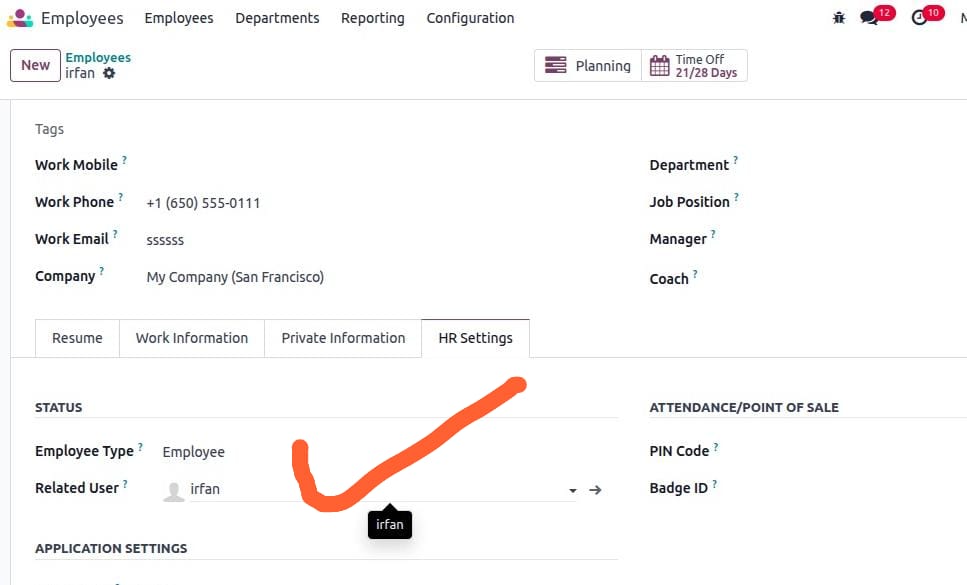
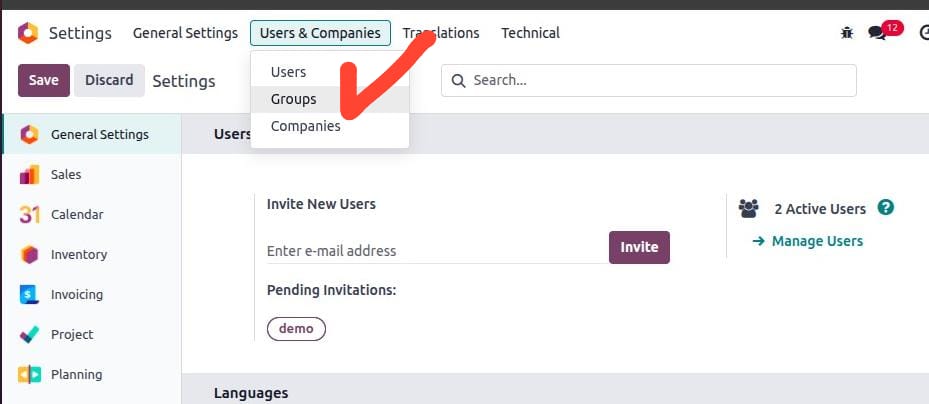
- Next go to Settings → Users & Companies → click on Groups (make sure developer mode is activated).
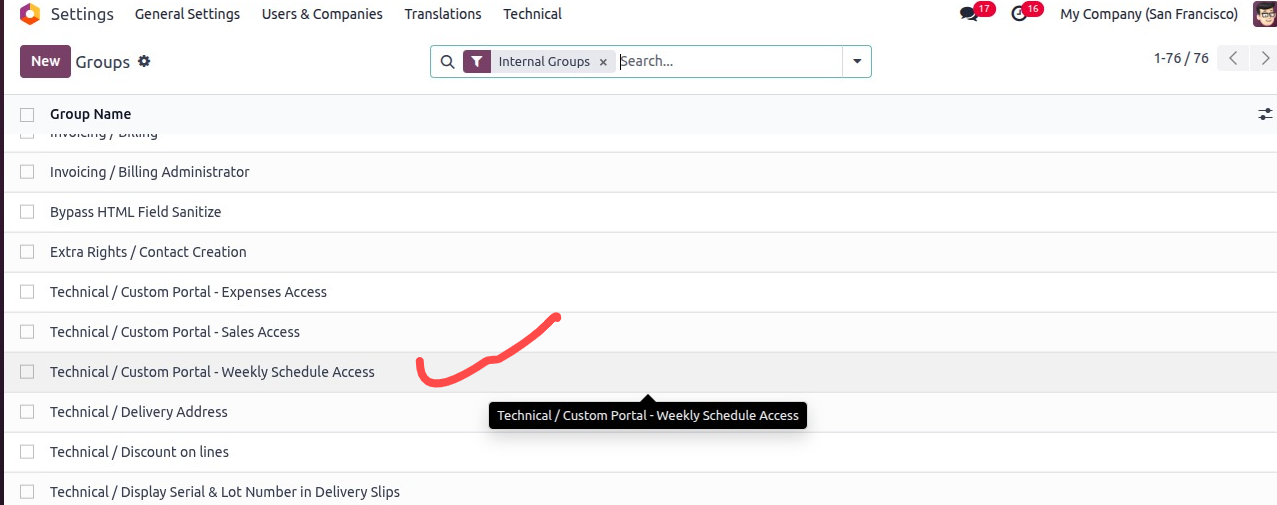
- Search or select the Group ['Custom Portal - Weekly Schedule Access'] and click to open.
Remember only related assigned group menu will be visible to the user.
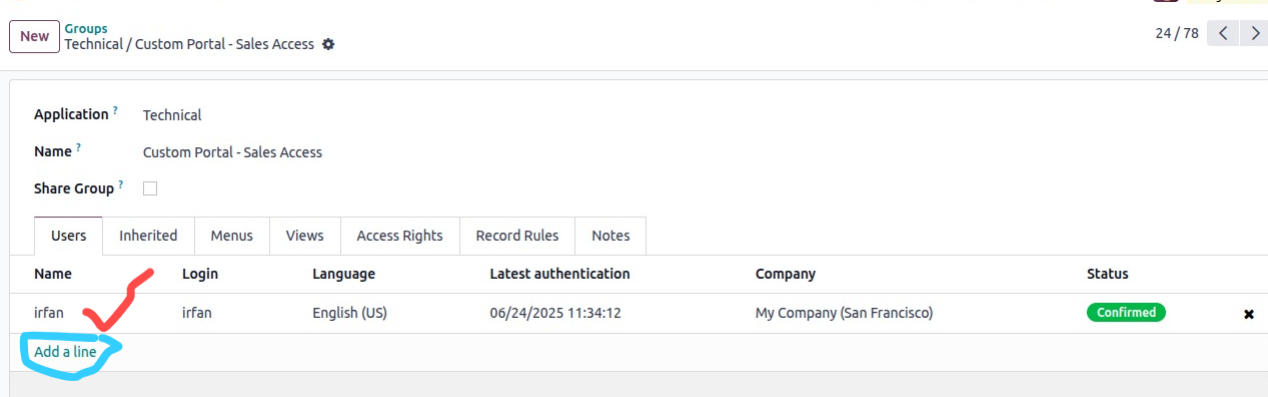
- Add users in the order line.
- Now log in with the User; you will see the menu like below screenshot.
- As I gave access to all groups of different Portal Menus, all menus are showing; You will the Weekly Schedule one.
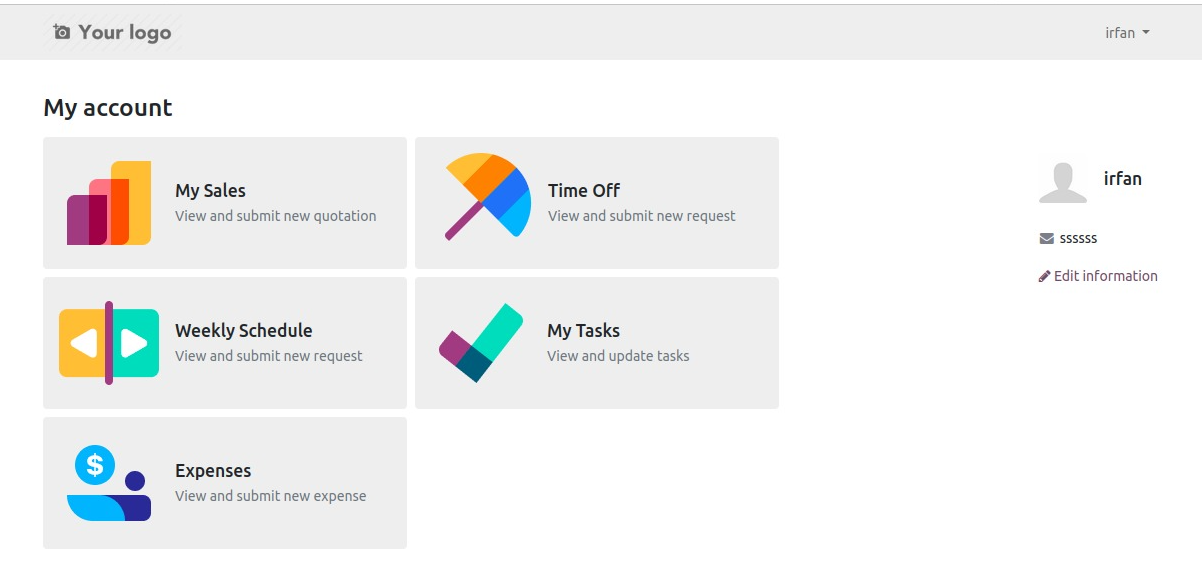
By Click on Weekly Schedules/Planning to open your schedule/shifts
By Click on top right smart button to create/request new weekly shift

Fill the details Date from and To, your role and company then submit
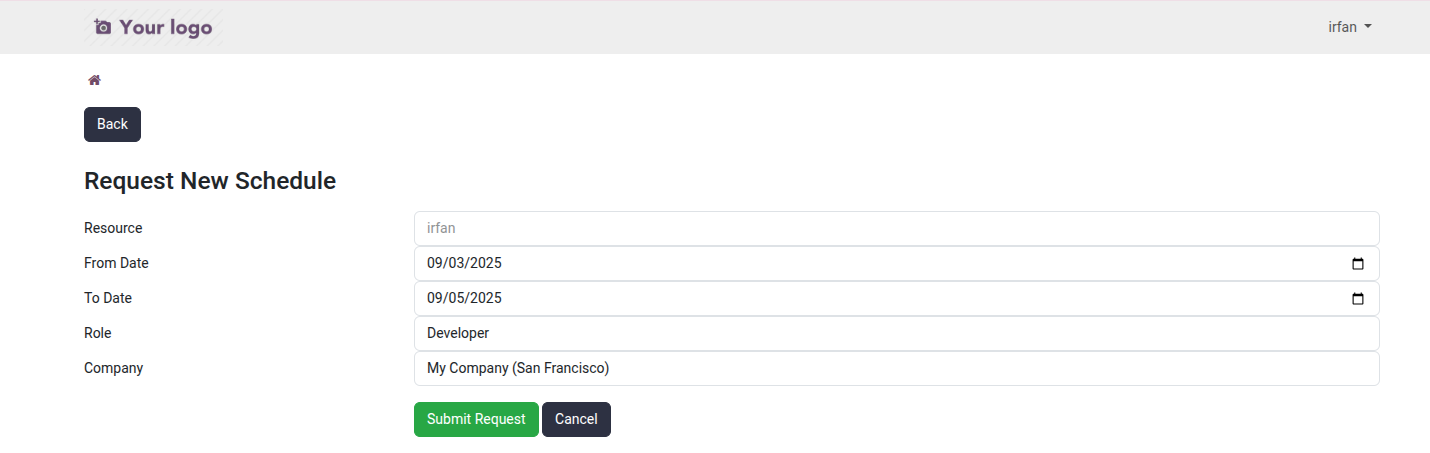
Wait for Approval once approved from the Manager/backend you see you shift details
Waiting for Approval on backend side let's approve
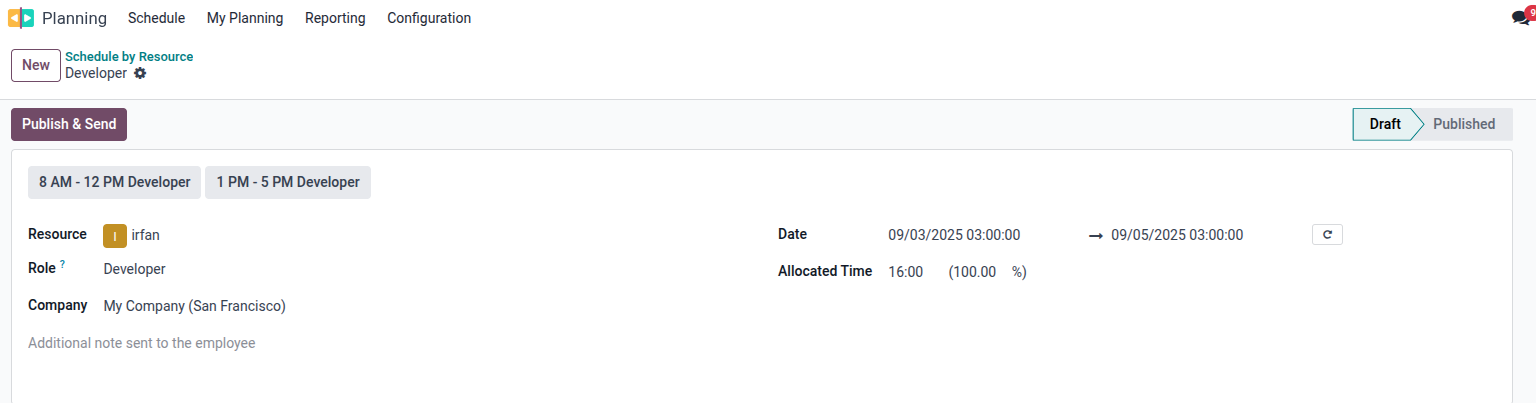
Once approved now employee will receive email and can also see on portal
Shifts/Schedule after Approval on Portal

