All Apps
/
Portal HelpDesk Service Center

Description:
The most advance support ticket / desk system fully integrated with calender and option to chat with the ticket
create. No more whatsapp need also the notification system.
The most advance support Ticket / Desk system fully integrated with calender and option to chat with the ticket holder. No more whatsapp need also the bell notification.
Employee / User / Customer can create support ticket from my account section
Works for Both Internal/Employee and Customer/External/Portal Users
Allow every one to create tickets track their issues status
Main Features
- Ticket can be created from both side Admin as well as Customer/Employee
- Track ticket status
- Smart bell notification options
- Fully integrated with calender to schedule meeting
- Attachment option for any documents
- Can create and close from both sides
- live chat options
- Fully align with standard Odoo
Configuration In the Support Desk app go to configuration and team
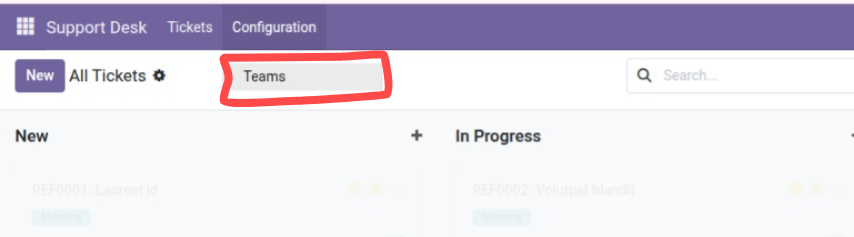
- Create team as many as per you need e.g IT, HR, Medical
- Give the Team name like Technical in my case
- Assign team lead / Manager
- Add members to the team
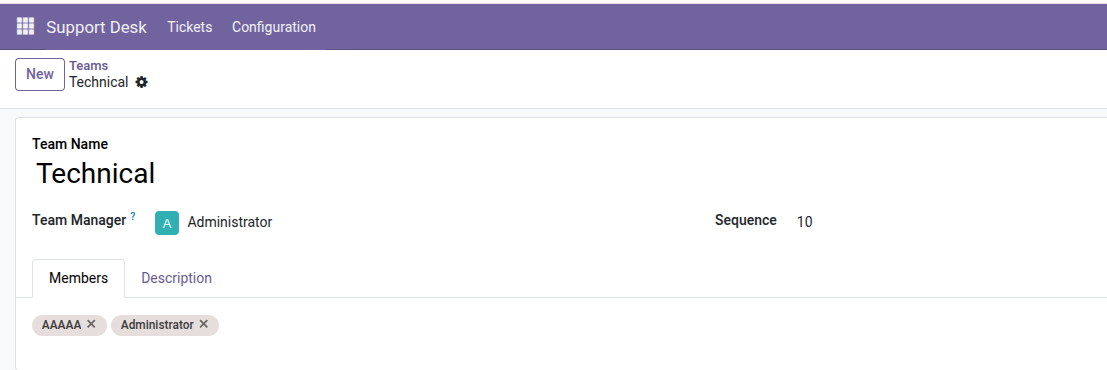
Now the ticket can be create from both sides and also close from both sides
Lets try form customer side
click on the My Tickets by default list of tickets created by the customer
On the right side of Profile the bell notification
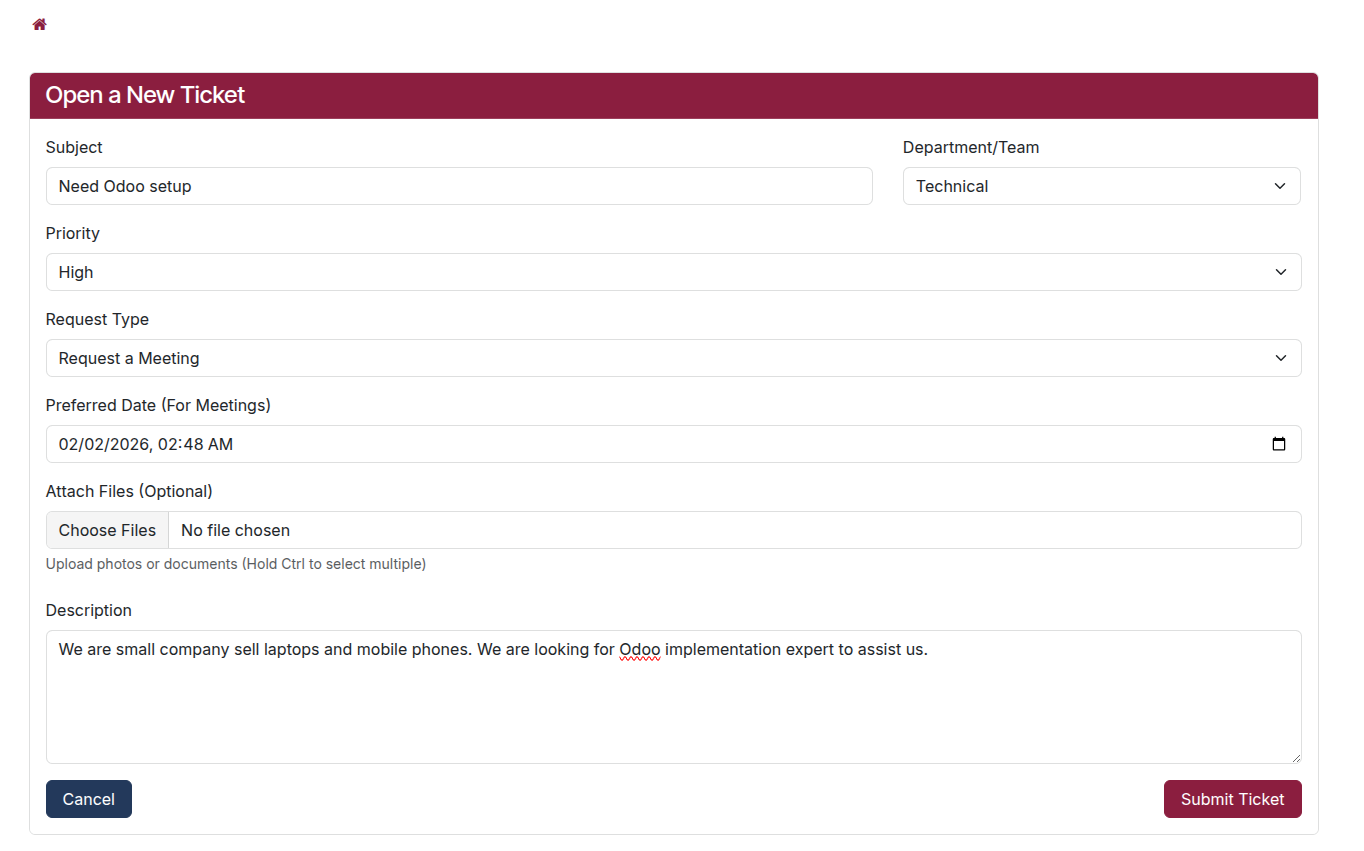
On the right side Create New Ticket
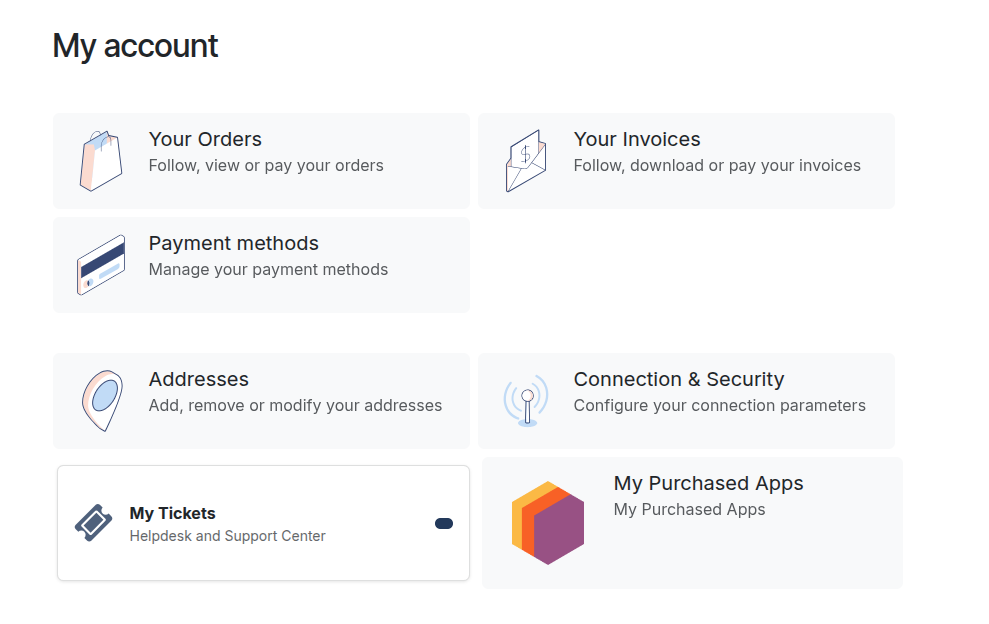
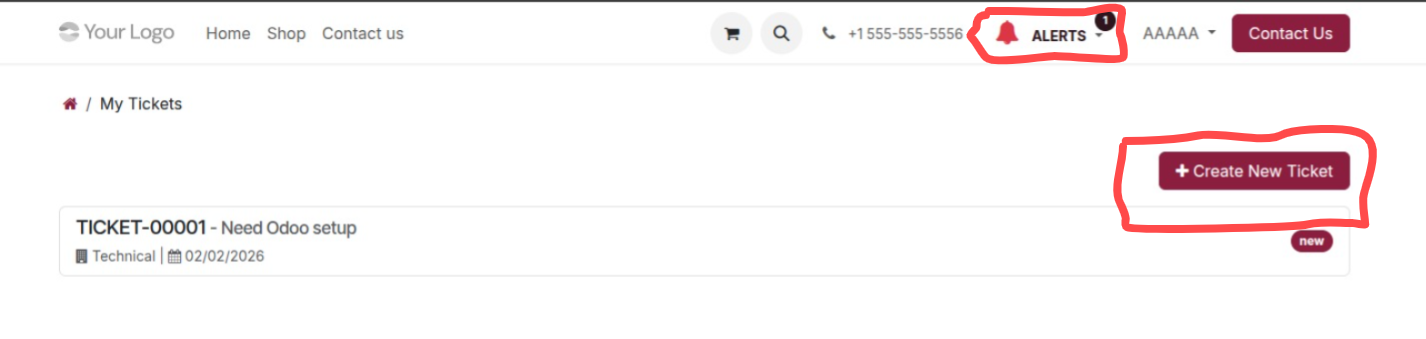
On the right side Create New Ticket.
Fill the form select the associated Team/Department this comes from the Backend we created.
Leave the fields if not needed like attachment, Meeting date time etc.
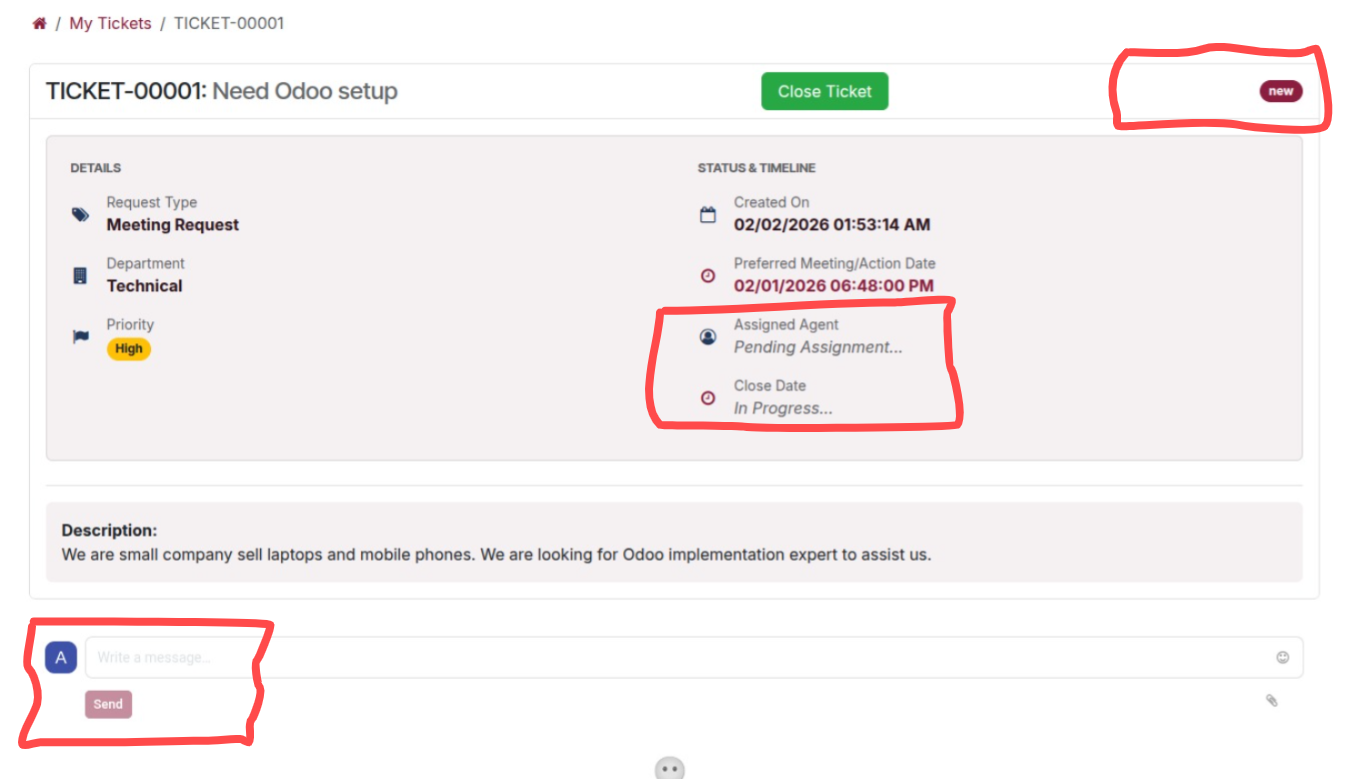
When ticket submitted
In the form Assign Agent and Closing time(when the ticket resolved) and see the status New
Under ticket the chat option
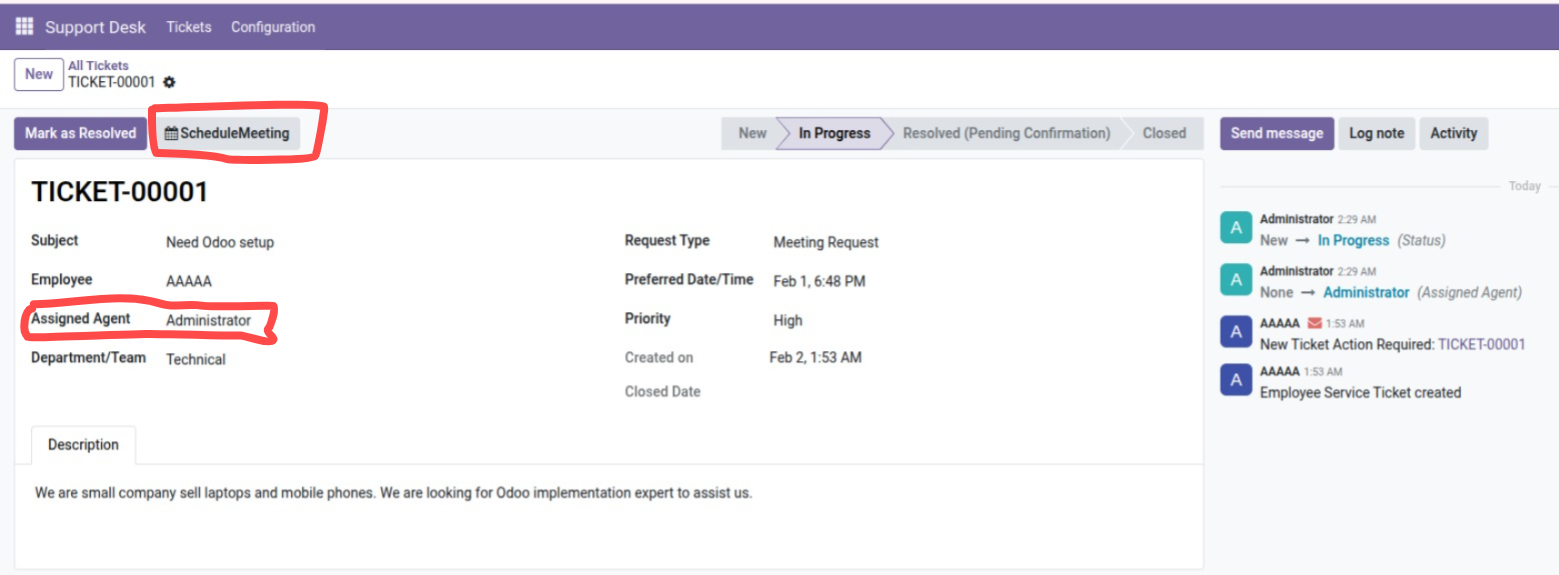
On admin side when the agent assigned and start working on it
The Meeting schedule button appear also if needed meeting
By clicking the meeting schedule button
It will auto schedule the meeting on the give date time and smart button for more ticket details
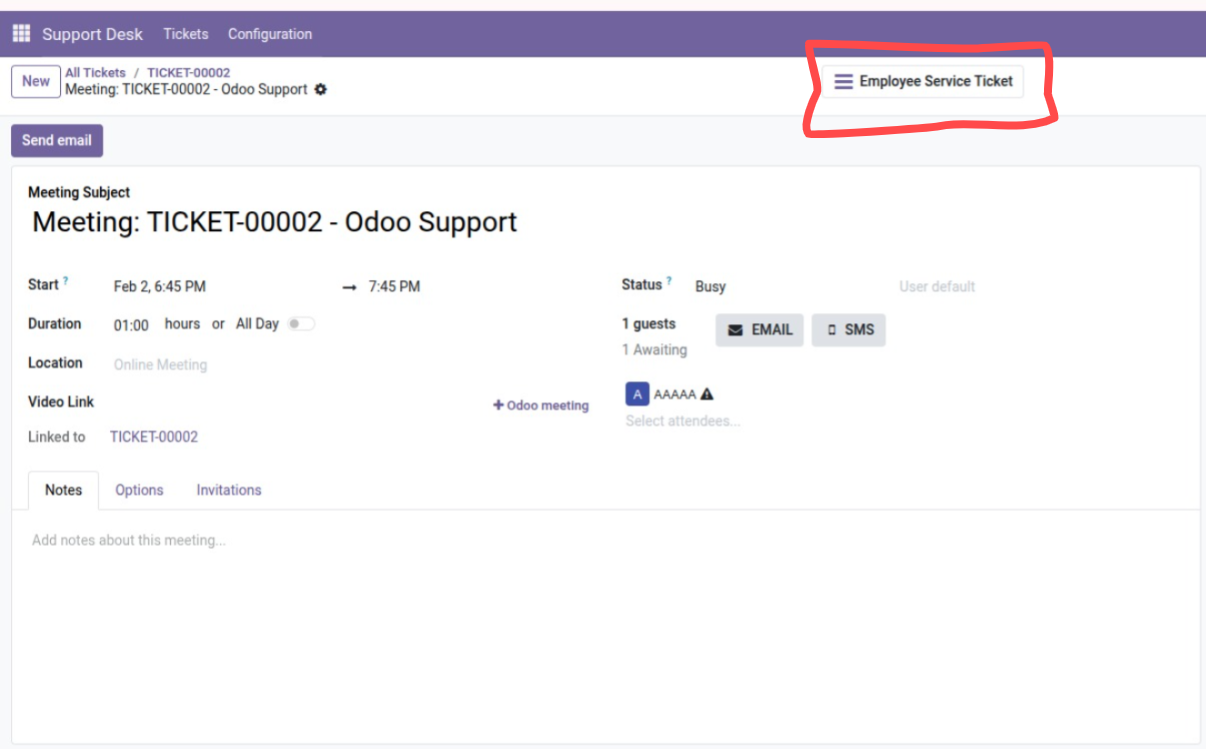
Any meeting having schedule meeting, will show smart button
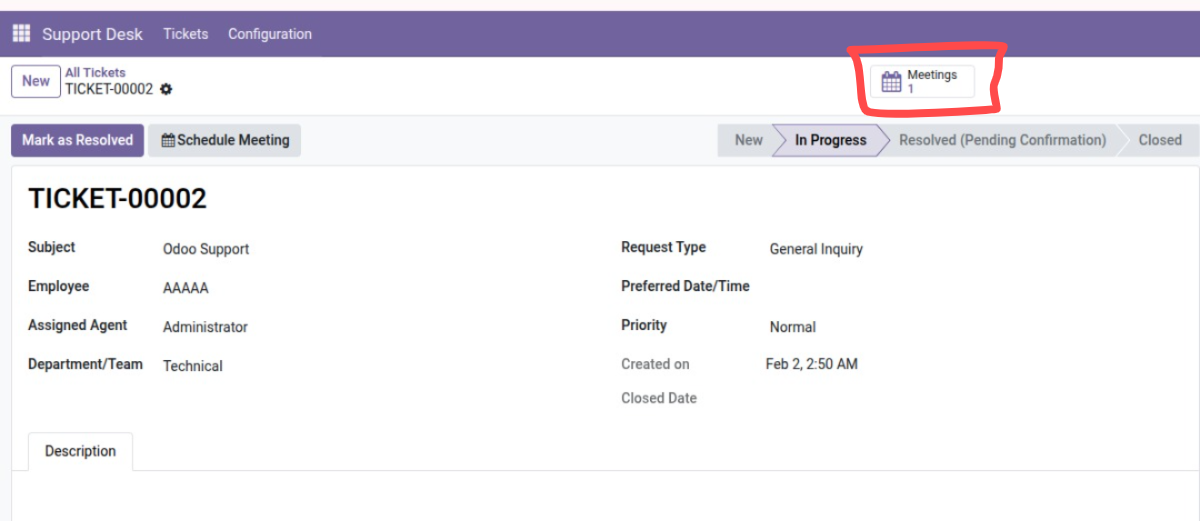
When the ticket Resolved from admin side
see the client side
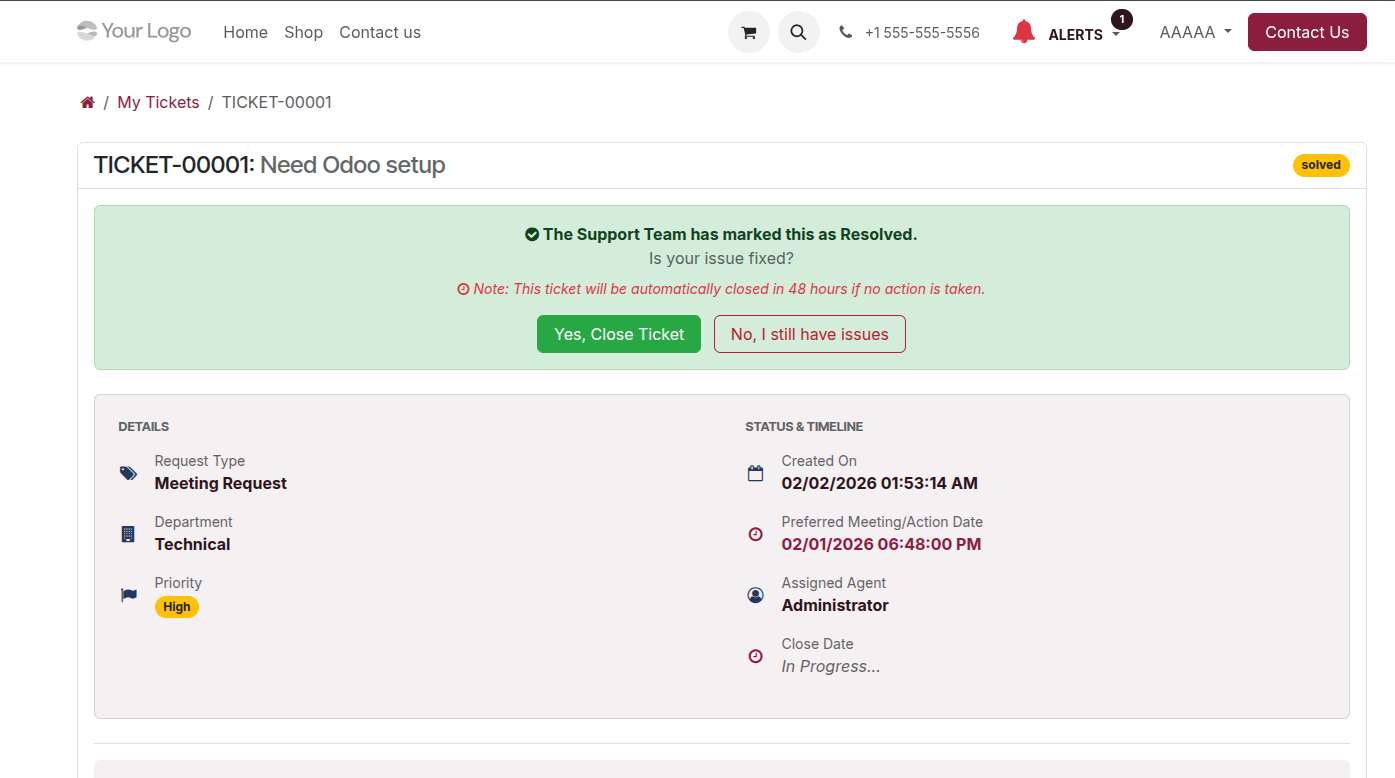
When the ticket closed the client will get the bell notification
And also to accept or reject the resolved decision if the issue still persist
In case of no response after 48 hours the ticket will be closed auto