All Apps
/
Salesperson Portal

Description:
The Salesperson Portal for Odoo allows sales staff to create quotations, edit orders, and register payments directly from the website interface. It provides a dedicated dashboard for salespersons to manage their pipeline without needing backend access. Supports both internal and external users on Odoo Community and Enterprise.
Salesperson Portal and Pay from Portal
Work on both Community and Enterprise
Works for Both Internal and External/Portal Users
Any User you assigned/give access will have the App/Menu on Portal side
Main Features
- Salesperson can view and create quotation from portal + Dashboard
- Salesperson can register Payment from Portal
- Salesperson can edit any Order until confirmed
- Different filters available
Configuration
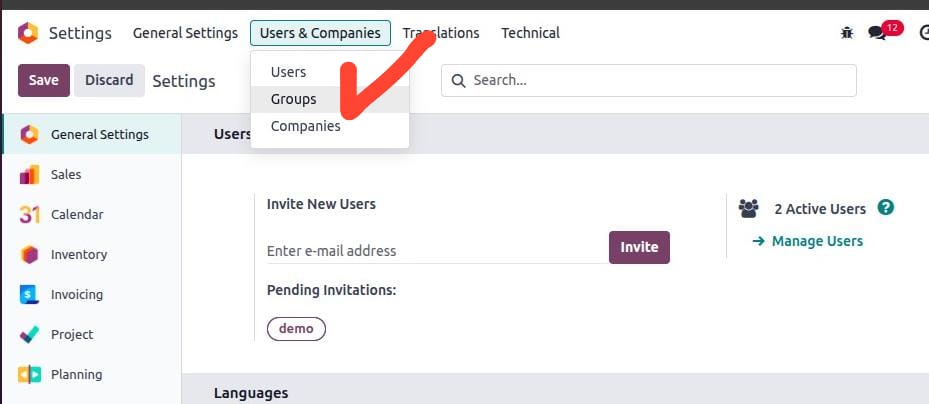
- Next go to Settings → Users & Companies → click on Groups (developer mode must be activated).
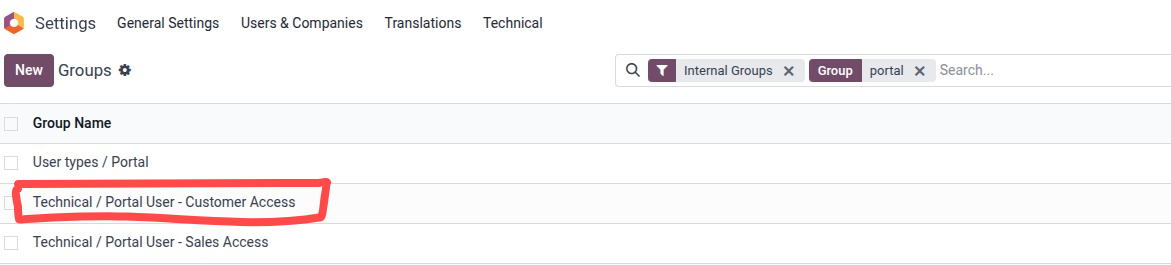
- Search or select the Group "Custom Portal - Salesperson Access" and click to open.
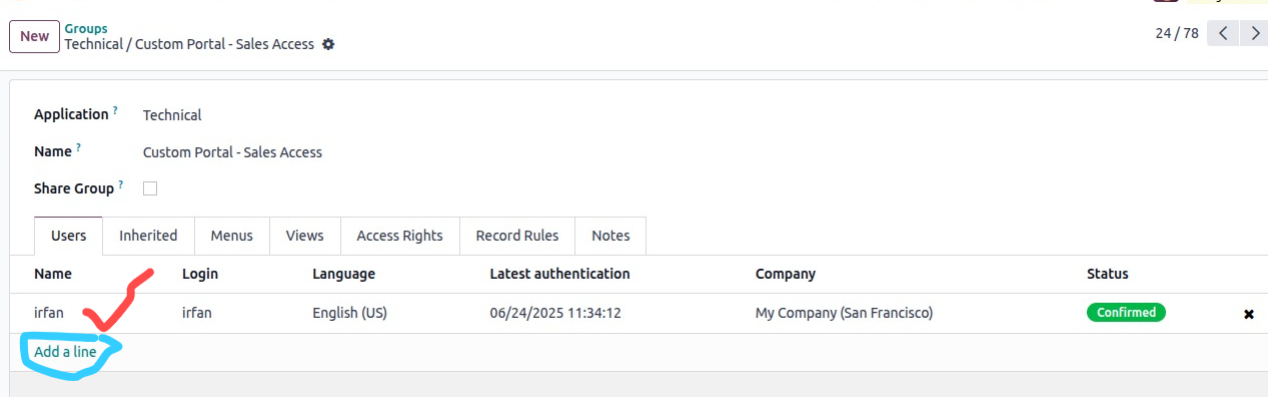
- Add users in the order line.
- Now log in with the User; you will see the App/Menu as below.
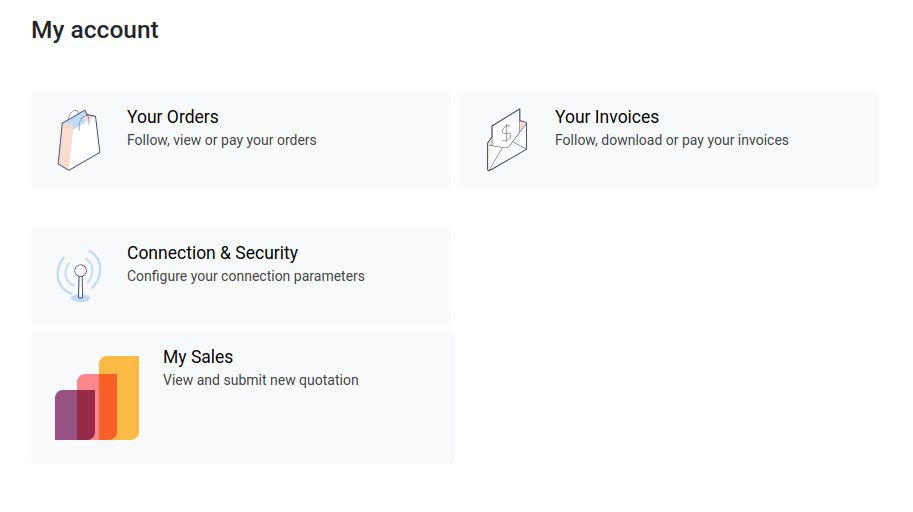
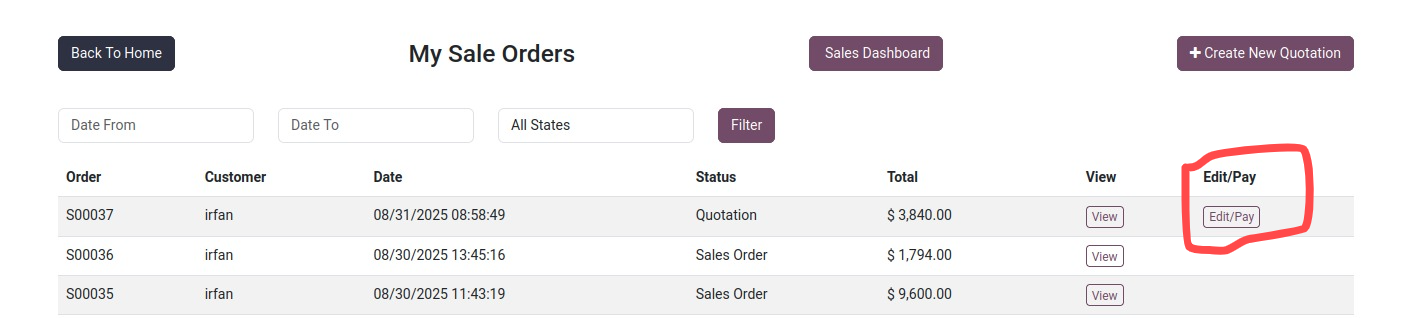
Click on My Sales to open your Quotations/Orders; to create new, click on "Create New Quotation"
To Pay and update/Edit click on the Edit/Pay
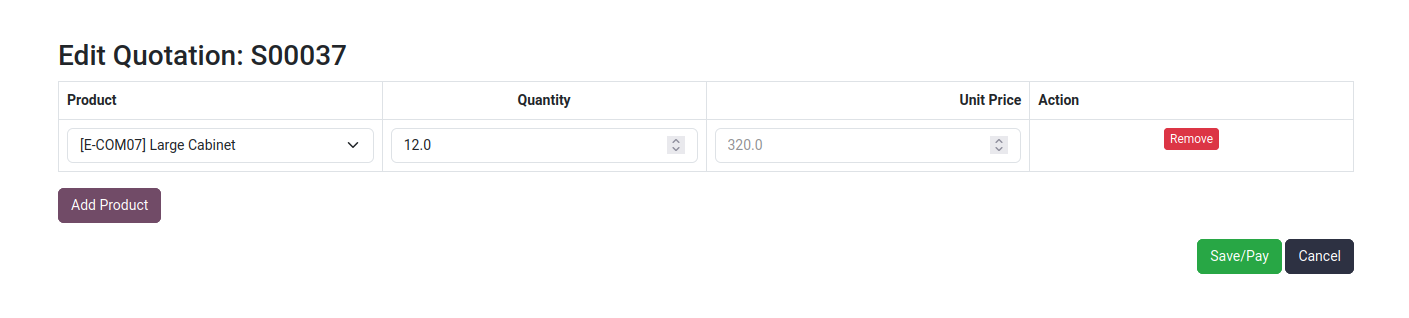
By Click Edit/Pay will open the order you can add/remove products as well as the quantity of the products"
Then Save/Pay
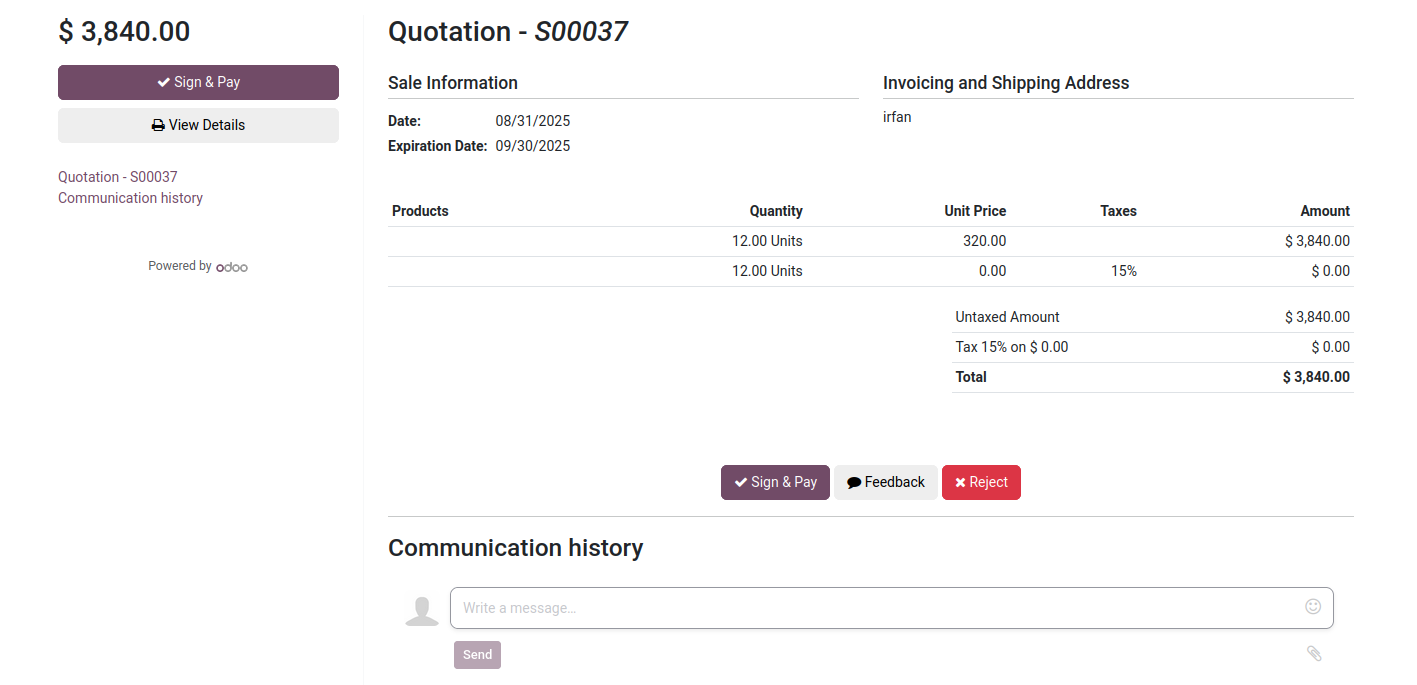
By Click Save/Pay will open the order and Sign & Pay options
Then Save/Pay
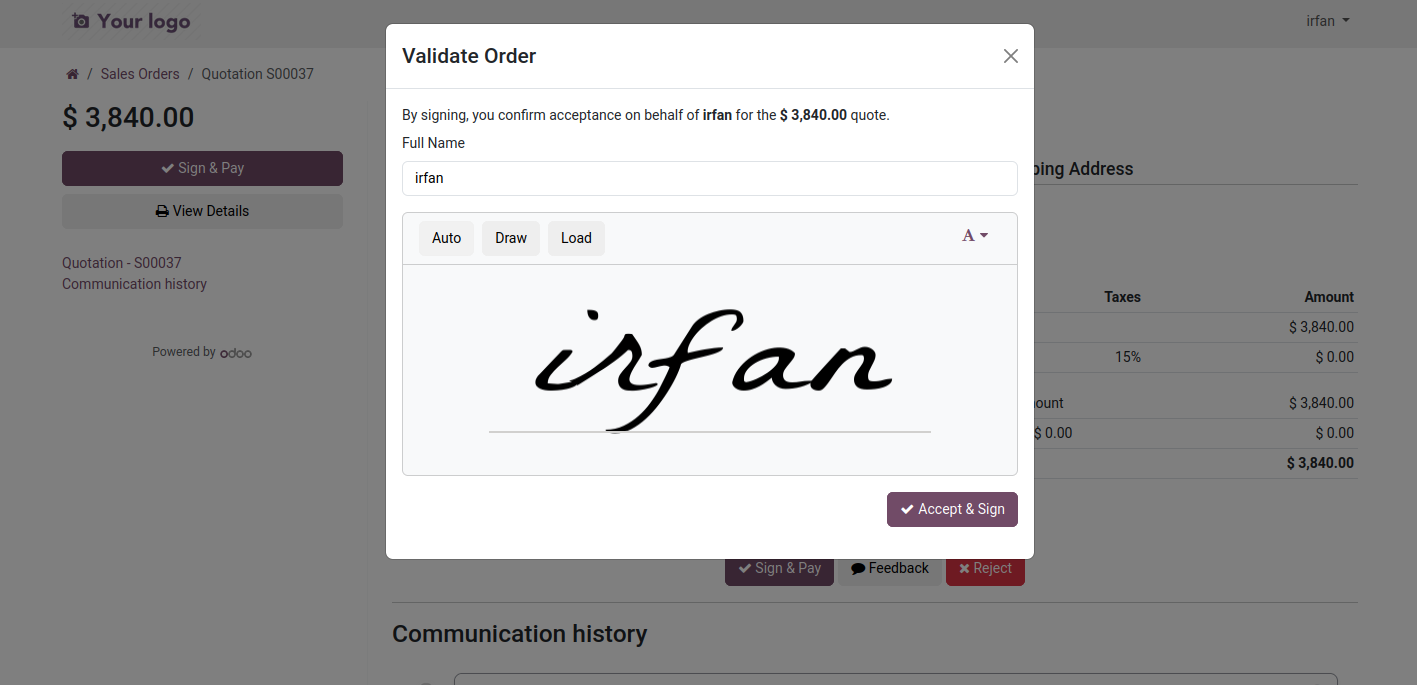
By Click Sing & Pay, Now do your sign and down right Accept & Sign
Next
It will pup op the Odoo Payment Method Activated and configured
Proceed with you payment details
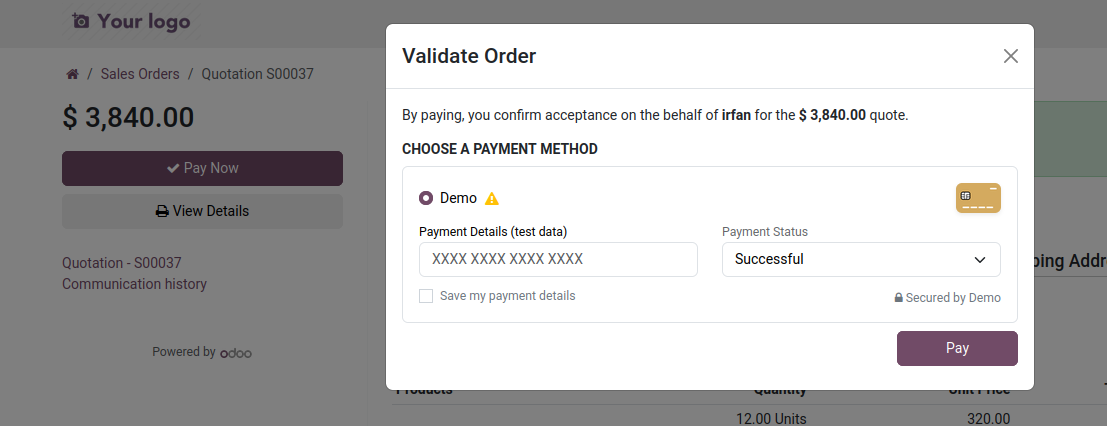
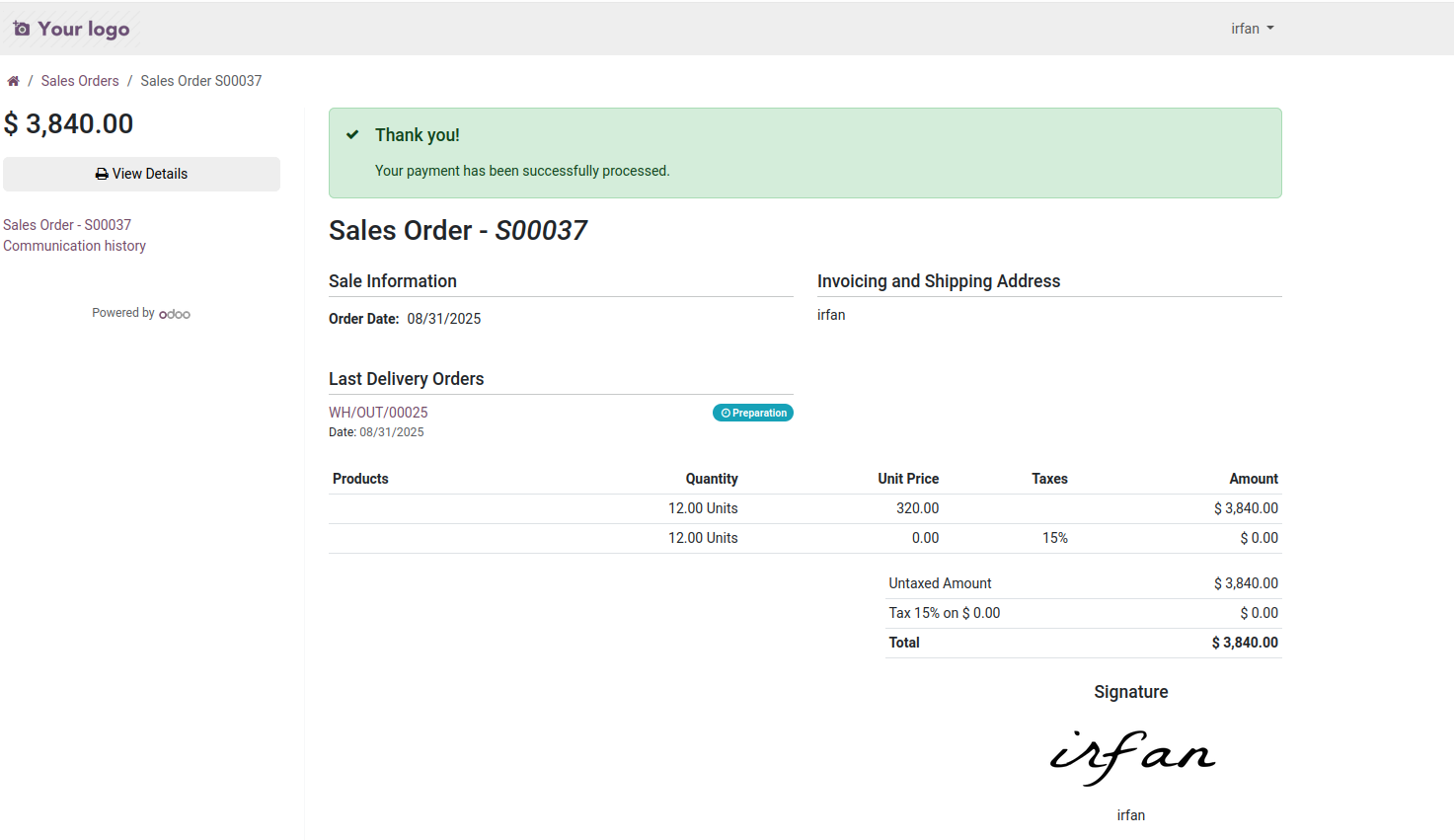
Thank you! Your payment has been successfully processed.
Next
Customer Portal | Payment | Dashboard Portal Demo Video

Click to watch on YouTube